GPTBot robots.txt Example: Blocking GPTBot Has Zero Effect on ChatGPT Citations
Most site owners think they blocked ChatGPT by blocking GPTBot. They did not. Blocking GPTBot has zero effect on ChatGPT search citations. The bot that actually powers ChatGPT's live search results is a different crawler entirely, and most site owners have never heard of it.
By Samer Shaker
Quick answer: Blocking GPTBot in your robots.txt has zero effect on ChatGPT search citations. GPTBot only feeds training data. The bot that actually powers ChatGPT's live search results is a different crawler entirely, and most site owners have never heard of it.
Key Takeaways
- GPTBot and OAI-SearchBot are two separate crawlers. Blocking one does not block the other.
- GPTBot (launched August 2023) feeds model training only. It has no connection to live ChatGPT search citations.
- OAI-SearchBot (launched February 2024) is the crawler that powers ChatGPT search citations. Block this one if you want out of ChatGPT search results.
- ChatGPT-User cannot be blocked in
robots.txt. OpenAI made it exempt on December 9, 2025. - Every GPTBot
robots.txtexample you find on page 1 of Google controls training data, not citations. Use the OAI-SearchBot block for citations. - For ChatGPT search visibility,
robots.txtandllms.txtsolve different problems and both matter.
Blocking GPTBot Does Not Remove You from ChatGPT Search Results
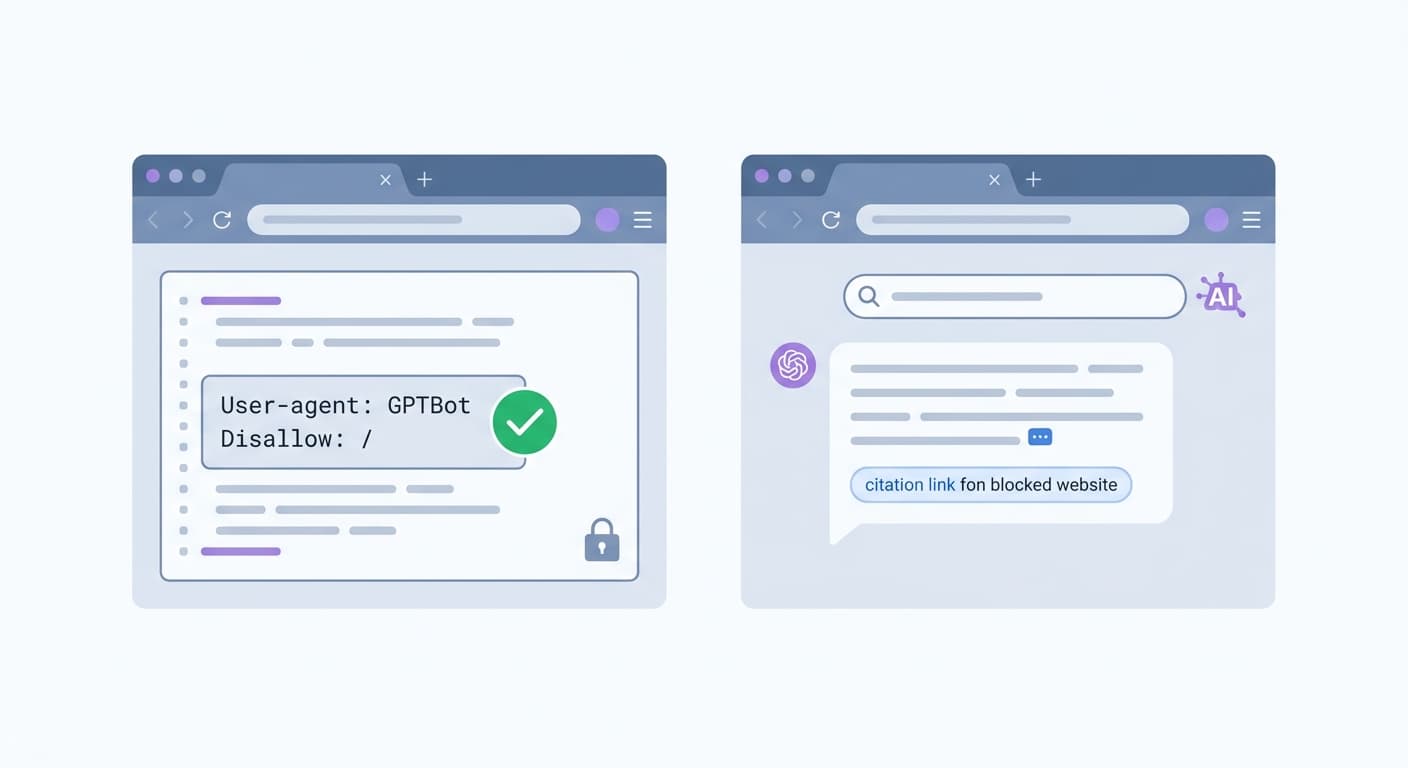
Most site owners think they blocked ChatGPT by blocking GPTBot. They did not.
What GPTBot Actually Does (and Does Not Do)
OpenAI launched GPTBot on August 7, 2023, with one job: crawl the web for training data. It feeds model training runs. It has no connection to the real-time answers ChatGPT serves to users today.
When you add a GPTBot robots.txt block like User-agent: GPTBot / Disallow: /, you tell OpenAI not to use your content in a future model. You are not touching citations, search snippets, or anything a user sees when they search inside ChatGPT.
The adoption numbers show how fast the misunderstanding spread. Within six weeks of GPTBot's August 7, 2023 launch, 25.9% of the top 1,000 websites had blocked it. Thousands of site owners made a technical decision based on the wrong assumption about what that decision actually controlled.
It will not get you cited in ChatGPT.
The Bot That Powers ChatGPT Citations Launched Six Months Later
OpenAI launched OAI-SearchBot in February 2024. That is the crawler behind ChatGPT's live search citations. When a ChatGPT user runs a search and sees a source link, OAI-SearchBot is the crawler that fetched that page.
The two bots are separate user-agents. Your robots.txt rules apply independently to each. Blocking GPTBot leaves OAI-SearchBot completely unrestricted. OpenAI has noted that crawl results may overlap between use cases, but the crawlers themselves are distinct and must be addressed separately in your robots.txt file.
OpenAI Runs Four Crawlers and Each One Does a Different Job
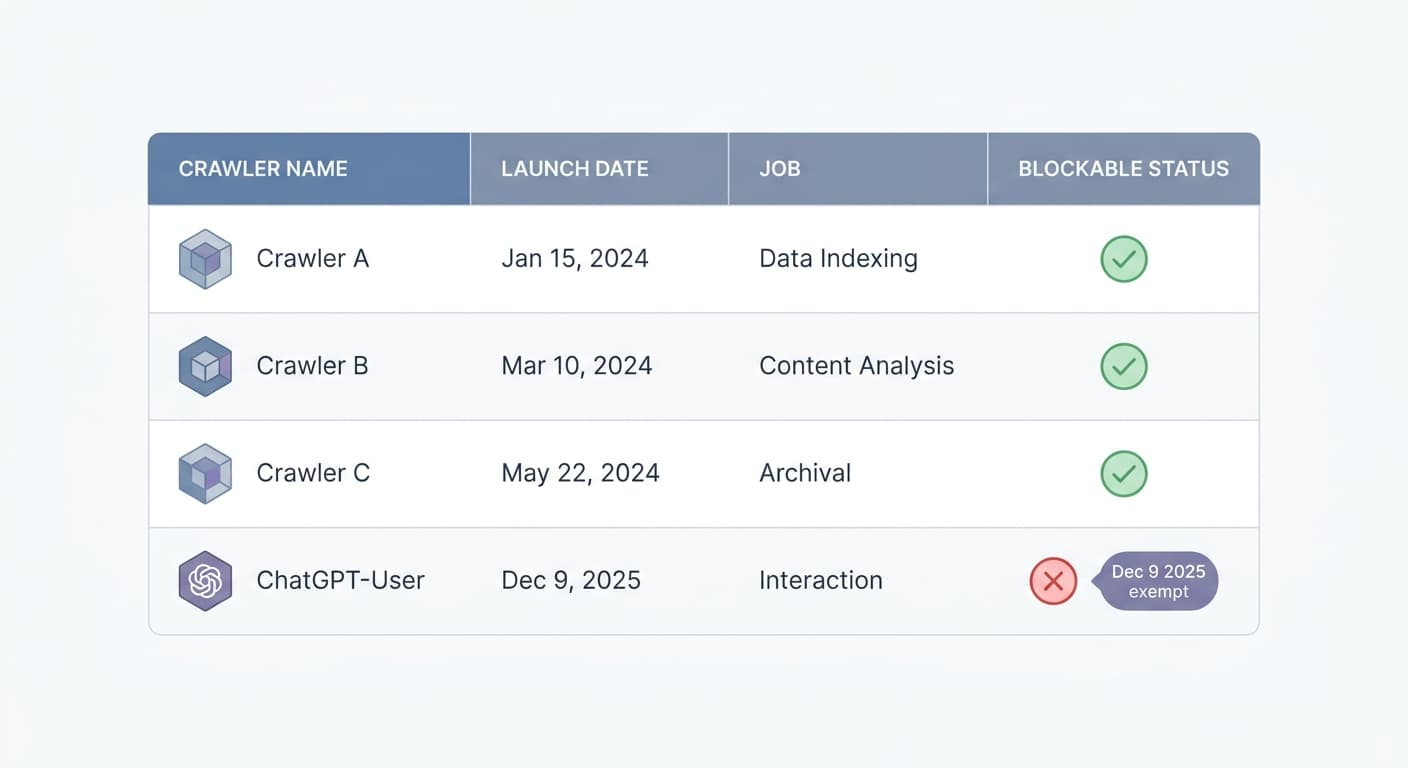
Most site owners treat OpenAI's crawlers as one bot. There are four, and they behave differently in ways that matter to your robots.txt strategy. See OpenAI's official bot documentation for the full technical reference on each crawler.
| Crawler | Launched | Job | robots.txt blockable? |
|---|---|---|---|
| GPTBot | Aug 7, 2023 | Training data collection | Yes |
| OAI-SearchBot | Feb 2024 | ChatGPT Search citations | Yes |
| OAI-AdsBot | Undisclosed | Ad safety review | Yes |
| ChatGPT-User | Pre-Dec 2025 | User-triggered live fetches | No (exempt since Dec 9, 2025) |
GPTBot: Training Data Only
GPTBot launched August 7, 2023 as OpenAI's first public crawler. It feeds model training. Pages it indexes do not appear in ChatGPT Search results or citations. A GPTBot robots.txt example like Disallow: / removes your content from future training runs. Nothing more.
OAI-SearchBot: ChatGPT Search Citations
OAI-SearchBot launched February 2024 to power real-time citations inside ChatGPT Search. Its crawl volume grew 3.5x between the GPT-5 launch in July 2025 and the end of that year. If a user asks ChatGPT a question and your page is a candidate answer, OAI-SearchBot is the bot that fetched it. Blocking GPTBot does not touch OAI-SearchBot at all.
ChatGPT-User and OAI-AdsBot: What They Touch
OAI-AdsBot handles ad safety review. It respects robots.txt and can be blocked like the others.
ChatGPT-User is different. It fires when a logged-in user asks ChatGPT to browse a specific URL live. On December 9, 2025, OpenAI made it robots.txt-exempt. Any Disallow: /ChatGPT-User rule in your file is ignored. The crawler fetches the page regardless. No robots.txt directive blocks it.
The Three Scenarios: Choose Which Bots You Actually Want to Block
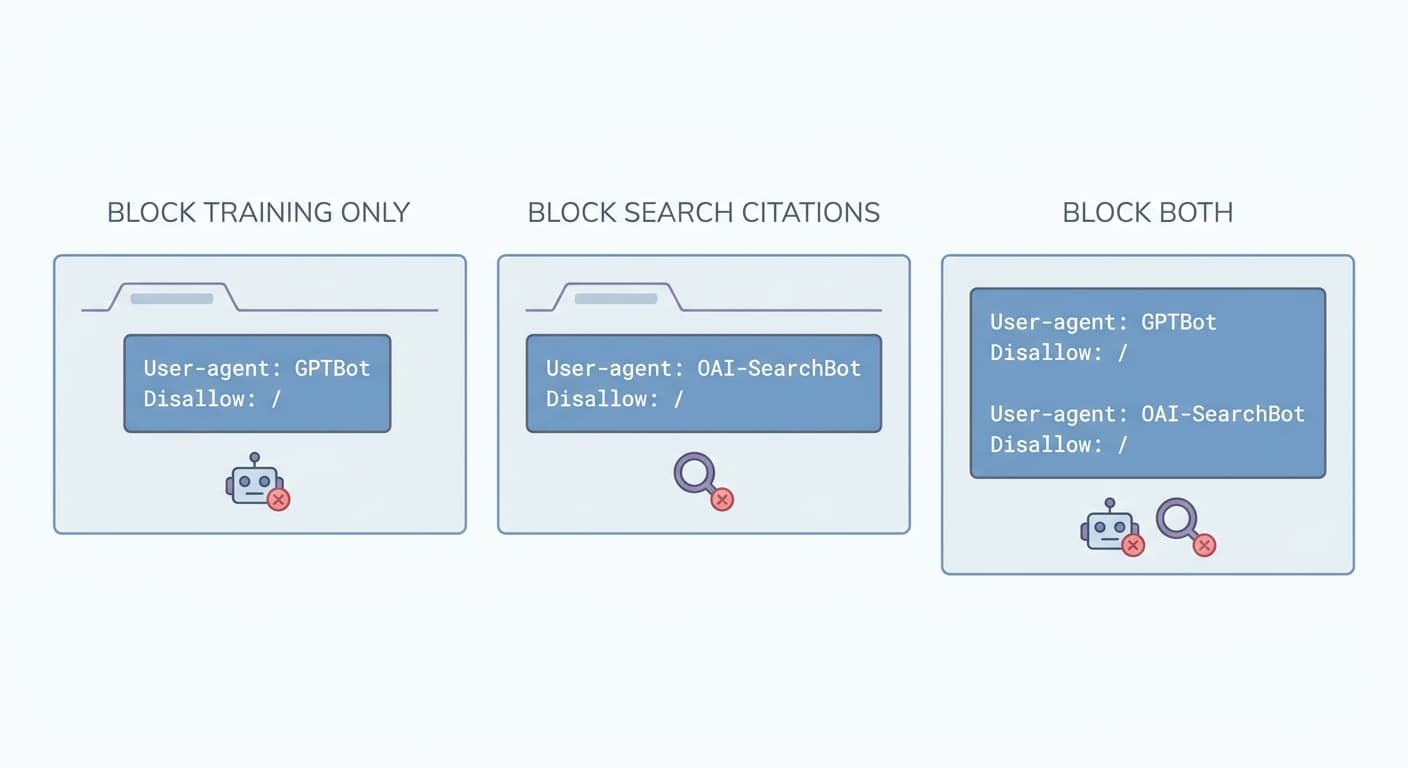
Your goal determines your robots.txt. Pick the scenario that matches what you want, copy the block, and paste it above any wildcard rules you already have.
Scenario 1: Block Training, Keep Search Citations
This works for publishers who want OpenAI to stop feeding their content into model training but still want ChatGPT to cite their pages in search results.
User-agent: GPTBot
Disallow: /
One tradeoff to know before you commit: OpenAI's shared crawl disclosure states “we may use the results from just one crawl for both use cases.” Blocking GPTBot may reduce OAI-SearchBot's coverage of your site. If search citations are the point, watch your OpenAI referral traffic after deploying this rule to confirm OAI-SearchBot is still active.
Scenario 2: Block Search Citations, Keep Training
This works for brands that are fine with model training but want to opt out of having ChatGPT surface their pages as cited sources in answers.
User-agent: OAI-SearchBot
Disallow: /
Because you are not blocking GPTBot, your content stays in the training pipeline. OAI-SearchBot stops pulling your pages for real-time answer citations.
Scenario 3: Block Both Training and Search
This works for site owners who want OpenAI out entirely. Block both crawlers.
User-agent: GPTBot
Disallow: /

User-agent: OAI-SearchBot
Disallow: /
One hard limit applies here: ChatGPT-User cannot be blocked, regardless of what you put in robots.txt. Since December 9, 2025, OpenAI made ChatGPT-User exempt from robots.txt directives. Any Disallow: /ChatGPT-User rule you write is ignored. The crawler fires when a logged-in user browses your URL directly inside ChatGPT, and no file on your server stops it.
This is not a loophole you can close with a tighter rule. OpenAI baked this into how the bot operates.
So “block both” in practice means blocking all autonomous OpenAI crawling. Live user-initiated fetches via ChatGPT-User remain outside your control.
Place your chosen block near the top of robots.txt, before any User-agent: * wildcard rules. Order matters: most crawlers read the first matching agent block and stop. See Moz's robots.txt guide for a full reference on robots.txt syntax and ordering rules.
Blocking GPTBot Does Not Erase What OpenAI Already Learned from Your Site
Adding a Disallow rule today does not remove your content from OpenAI's existing training corpus. That data is already collected.
Some site owners believe adding Disallow: / under User-agent: GPTBot retroactively scrubs their pages from models OpenAI has already trained. It does not. The robots.txt protocol controls future crawl access only. Once a crawler has fetched and processed your content, that fetch is done. No subsequent rule change reaches back into a training dataset and deletes what was collected.
OpenAI trained on web data through several cutoff points. If GPTBot crawled your site before you added the block, those pages were part of that data collection. The block you add today tells the crawler to stop. It does not issue a deletion request to OpenAI's training pipeline, because no such mechanism exists in the robots.txt standard.
If you blocked GPTBot in 2023 or 2024, you prevented crawls from that point forward. Pages collected before your block remain in the corpus. Set your robots.txt for what you need now, not what you needed then.
robots.txt Controls Crawlers. llms.txt Signals What AI Should Cite.
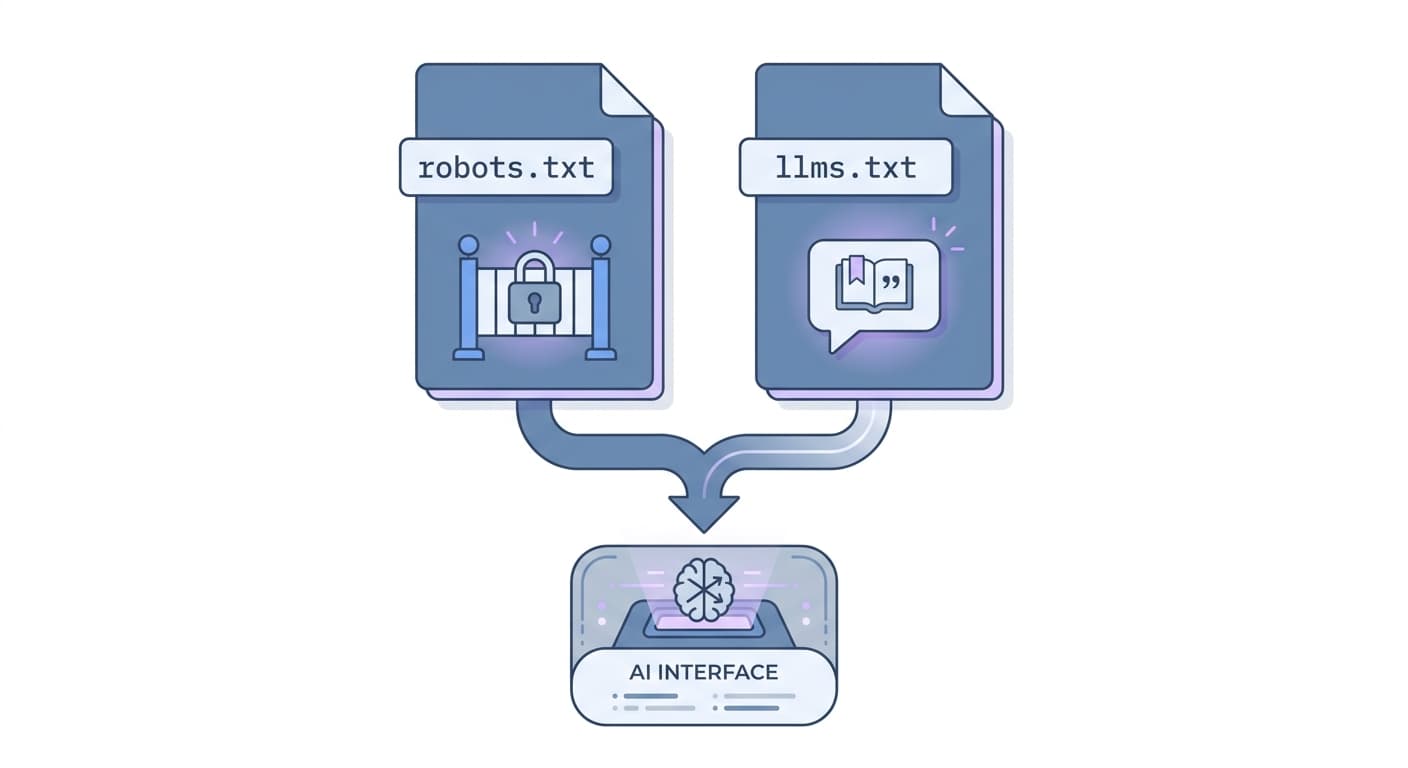
These two files solve different problems. robots.txt is a crawl gate: it tells automated bots which URLs they can and cannot access. llms.txt is a citation signal: it tells AI systems which content on your site is authoritative and worth surfacing in answers. Blocking GPTBot in robots.txt says nothing about what an AI should cite. A well-structured llms.txt addresses that directly.
What llms.txt Does That robots.txt Cannot
robots.txt operates on access. It cannot express intent, context, or priority. llms.txt lets you list your most important pages, label them, and give AI systems a structured map of your content.
Skip llms.txt and you lose the ability to tell AI systems which pages represent your site accurately. robots.txt cannot make that argument for you.
The two files work together. robots.txt tells crawlers what to read. llms.txt tells AI what to trust. Running only one leaves half the job undone.
How to Add llms.txt to Your Site
Place llms.txt in your site root so it resolves at yourdomain.com/llms.txt. The file lists URLs with short descriptions. For platform-specific steps, see the setup guides for add llms.txt to WordPress, add llms.txt to Shopify, and add llms.txt to Wix. Each guide walks through where to upload the file and how to verify it resolves correctly without touching your robots.txt configuration.
Frequently Asked Questions
Does blocking GPTBot remove my site from ChatGPT?
No. GPTBot collects training data for OpenAI's language models. ChatGPT search citations are served by a separate crawler called OAI-SearchBot, which OpenAI launched in February 2024. Blocking GPTBot has zero effect on whether ChatGPT cites your site in search results. The two bots do different jobs.
What is the correct robots.txt rule to block ChatGPT search citations?
Block OAI-SearchBot, not GPTBot. The correct robots.txt rule for controlling search citations is an OAI-SearchBot block:
User-agent: OAI-SearchBot
Disallow: /
Adding this to your robots.txt tells OAI-SearchBot to skip your entire site. GPTBot rules do not apply to OAI-SearchBot. You need the separate agent block.
Can I block ChatGPT-User in robots.txt?
No. OpenAI made ChatGPT-User exempt from robots.txt on December 9, 2025. Rules you add under User-agent: ChatGPT-User are ignored. This bot fires when a real user pastes a URL into ChatGPT and the model fetches it live. OpenAI treats those fetches as user-initiated requests, not autonomous crawls.
If I blocked GPTBot in 2023, does OpenAI delete my data from its training set?
No. The block prevented future crawls from that date forward. Content OpenAI collected before your block remains in the training corpus. robots.txt has no retroactive deletion mechanism. Past crawl data stays.
Does allowing GPTBot help my site appear in ChatGPT answers?
Not directly. GPTBot feeds training data, which influences the model's base knowledge, not live citation results. What drives ChatGPT citations is OAI-SearchBot access and a correctly structured llms.txt. If your goal is to appear in ChatGPT search answers, focus on those two, not GPTBot access.
Get Your AI Visibility Score
Find out where you rank in ChatGPT, Claude, and Perplexity, and what is blocking you.
Get My Free AI Audit →